Mobile games online: free games for your phone's browser
28 games
You can play mobile games online right in your phone's browser: open a game, tap Play and it fills the screen, with no app to install and no sign-up. All 28 games on California Games run on Android phones, iPhones and tablets, with touch controls built for each game.
Game files range from 52 KB to about 10.6 MB, so most load quickly even on mobile data.
All of them. Every game in the catalog is listed for phone, tablet and computer, and every one accepts touch. That is why the grid above shows the full catalog, starting with the most popular.
Touch controls are not an afterthought here: each game describes its own gestures in its instructions. A few examples:
On a phone, the game page shows the player with a Play button. Tap it and the game opens maximized: in full screen on Android, and in the portal's own full-screen view on iPhone. To leave, tap the round × button floating over the game. You can drag it to any edge of the screen, and it fades out when you are not touching it, so it never covers the action.
Nothing is installed. The browser loads the game files and keeps them in its cache, and games that save progress keep it in that browser, so you can switch apps and come back later. Every game also runs in an isolated frame on a separate domain, so it cannot read the portal's data or your account.
Should you use the browser or an app?
For a quick game, the browser is enough. California Games also has apps for iPhone, iPad and Android, and their main extra is offline play: you can download games to the device and play without internet. That works for 27 of the 28 games; War Space is a real-time online arena, so it always needs a connection.
Keep Chrome (on Android) or Safari (on iPhone) up to date. New versions bring performance fixes.
Close the apps and tabs you are not using, especially video. They compete with the game for memory.
Use Wi-Fi for the larger games, like Spot Kick Stars (4.9 MB) or Brainrot - Spot the difference (10.6 MB). The puzzles in the low hundreds of KB barely touch your data plan.
If a 3D game stutters, turn off battery saver while you play, or pick a lighter one: the games for low-end PC page sorts the catalog by size, and the light ones are just as handy on an older phone.
Frequently asked questions
Do these games use a lot of mobile data?
Mostly no. A game loads once, from 52 KB for Tic Tac Toe - Deluxe to about 10.6 MB for the largest, and the browser keeps it in its cache. War Space is the exception: as a live online game, it uses data for as long as you play.
Is anything different on iPhone?
Only the full screen: on iPhone, the portal opens the game in its own full-screen view instead of the browser's, with the same round × button to leave. Keep Safari up to date for the best performance.
Can I play in landscape?
Yes. 27 of the 28 games work in portrait or landscape. MotoCrazy is the only one made for landscape only.
Is there a California Games app?
Yes, there are apps for iPhone, iPad and Android. Their main advantage is downloading games to play offline, which works for every game except War Space.
Will my progress move from my phone to my computer?
Not by itself: progress is saved in the browser of each device. To carry it over, sign in to a player account in a game that saves to the cloud. Signing in is optional.
How do I get out of a game in full screen?
Tap the round × button floating over the game. If it sits on top of something you need, drag it to another edge of the screen; it stays where you left it.
 Run Run SahurNew
 2048 CardsNew
 Slime MergeNew
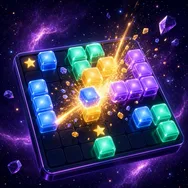 Magic BlockNew
 Spot Kick StarsNew
 MotoCrazyNew
 Brainrot - Spot the differenceNew
 Pothole Party.ioNew
 Purr & PourNew
 Paws ChessNew
 RocketmanNew
 War SpaceNew
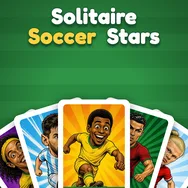 Solitaire Soccer StarsNew
 Tic Tac Toe - DeluxeNew
 String CutNew
 CombloomNew
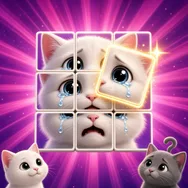 Meme Cats PuzzleNew
 Close Shave RiderNew
 Tiptoe TreatsNew
 Prank LevelNew
 Flume Frenzy.ioNew
 HexadropNew
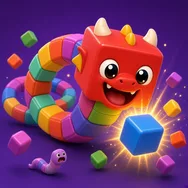 Cubaconda.ioNew
 Bubble CupNew
 Slime VolleyNew
 Color TrainNew
 Quack ArmyNew
 Clock TinkerNew