Online vs offline games: what is the difference and what needs internet?
Online games need an internet connection while you play, either to load or to talk to a server, while offline games run entirely on your device once they are downloaded. Browser games sit in between: the website needs internet to open them, and an app can store them for offline play.
On California Games, the website always needs a connection. The California Games apps can download offline packages for 27 of the 28 games; the exception is War Space, a real-time multiplayer arena that needs its server.
What is the difference between online and offline games?
The difference is where the game lives while you play. An online game depends on the internet to load its files or to exchange data with a server; an offline game has everything it needs stored on your device.
| Aspect | Online games | Offline games |
|---|---|---|
| Connection | Needed to load, and sometimes to play | Only to download the first time |
| Playing with other people | Real-time matches with players anywhere | Usually solo, or with someone on the same device |
| Installation | Often none, when the game runs in the browser | A download that takes up space on the device |
| Updates | You always open the latest version | They arrive when you update the game or the app |
| Mobile data | Used while loading, and while playing online | Used only for the download |
| Where it works | Wherever you have signal or Wi-Fi | Anywhere: plane, subway, countryside |
Neither is better across the board. Online wins on convenience and on playing with people far away; offline wins when the signal is weak or the data plan is tight.
Do browser games need internet?
Yes. A browser game is loaded from the website every time you open it, so you need a connection to start playing. The upside is that nothing gets installed: you click and play in seconds on a computer, phone or tablet. Our guide on how to play games online without downloading covers that side in detail.
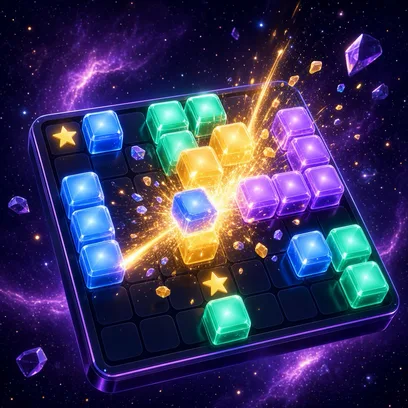
How much internet? Less than you might think. The game packages on California Games range from 52 KB (Tic Tac Toe Deluxe) to about 10.6 MB, and 20 of the 27 packages are under 2 MB. A light game like Magic Block, at 121 KB, opens quickly even on a slow connection.
Your progress stays in the browser, on the games domain, so you can pick up where you left off without an account. Clearing your browser's data erases it, so keep that in mind before a cleanup.
Can you play California Games offline?
Not on the website, which needs a connection to open each game. For offline play, California Games also has apps that download games to the device: 27 of the 28 games have an offline package. This is how it works, according to our privacy policy:
- Downloaded games and their progress are stored on the device itself.
- You can delete downloads at any time in the app settings.
- Usage events from offline play, such as games opened and time played, wait on the device until the connection comes back, for up to 7 days.
- War Space has no offline package: it is a real-time multiplayer arena and only works with its server.
| Game | Type | Package size | Offline in the apps |
|---|---|---|---|
| Tic Tac Toe Deluxe | Classic, with 2 players on one device | 52 KB | Yes |
| Magic Block | Block puzzle | 121 KB | Yes |
| 2048 Cards | Merge solitaire | 152 KB | Yes |
| Run Run Sahur | 3D endless runner | 849 KB | Yes |
| Paws Chess | Chess, with 2 players on one device | 1.1 MB | Yes |
| Cubaconda.io | .io arena against bots | 1.6 MB | Yes |
| MotoCrazy | Physics motorbike stunts | 3.4 MB | Yes |
| War Space | Real-time multiplayer arena | No package | No |
Wondering whether the phone browser or an app suits you better? Read browser or app: where to play mobile games, or go straight to the mobile games online collection.
Which games really need an internet connection?
Only games that connect you to other people in real time truly need the internet while you play. Single-player games need it to load in the browser, but the gameplay itself does not depend on a server.
- Real-time multiplayer: War Space puts real players in the same space arena, so it only works online.
- Against bots: the rivals in Cubaconda.io, Pothole Party.io and Flume Frenzy.io are bots, which is why these .io games can run offline in the apps. Our guide on what .io games are explains the difference.
- Two players on one device: Paws Chess, Tic Tac Toe Deluxe, Slime Merge and Spot Kick Stars put two people on the same screen, with no connection between players.
- Solo games: puzzles, runners and sports games only need the connection to load on the website.

Online or offline: which should you choose?
Choose by where you will play. With Wi-Fi and the urge to start right away, the browser is the fastest path; if you will be without signal, download games in an app before you leave.
- On a plane, subway or road trip: download your games in the app before you go.
- On a limited data plan: pick light games, such as Tic Tac Toe Deluxe (52 KB) or Magic Block (121 KB), or download them in the app over Wi-Fi.
- On a shared or school computer: the browser is ideal, since nothing gets installed.
- Against real people far away: you need online multiplayer, like War Space.
- With someone sitting next to you: a 2-player game on one device works anywhere: Paws Chess, Tic Tac Toe Deluxe, Slime Merge or Spot Kick Stars.

Tip: before a trip, open the app settings and check which games are downloaded. That is also where you delete the ones you no longer play.
Frequently asked questions
Is "no download" the same as "offline"?
No, they are almost opposites. A no-download browser game needs internet to open, while an offline game has to be downloaded first so it can run without a connection.
Why can't War Space be played offline?
Because it is real-time multiplayer: the server is what puts players in the same arena and keeps everyone's moves in sync. Without a connection, there is no match.
Do browser games use a lot of mobile data?
Usually not. On California Games, 20 of the 27 game packages are under 2 MB, and the lightest, Tic Tac Toe Deluxe, has 52 KB.
Where is my progress saved when I play offline in the app?
On the device itself, together with the downloaded game, as the privacy policy explains. On the website, progress is kept in your browser instead.
Does the app record what I play while offline?
It keeps usage events, such as games opened and time played, on the device until the connection returns, for up to 7 days. After that they follow the same rules as on the website.
Can I delete downloaded games?
Yes, at any time, in the app settings. That frees up space on the device.